
Attributes
Within your workspace, you'll manage multiple contacts, especially in Message2Give Chat. To effectively track contact details, you can create Contact Attributes. A contact attribute is information you can store about a contact (e.g., name, date of birth, phone number). When agents communicate with contacts in Message2Give Chat, all relevant contact information is readily available, providing comprehensive understanding of the contact's profile. These contact attributes can also be used as placeholders in Quick Replies.
Setup
To access the Contact Attributes section in your workspace:
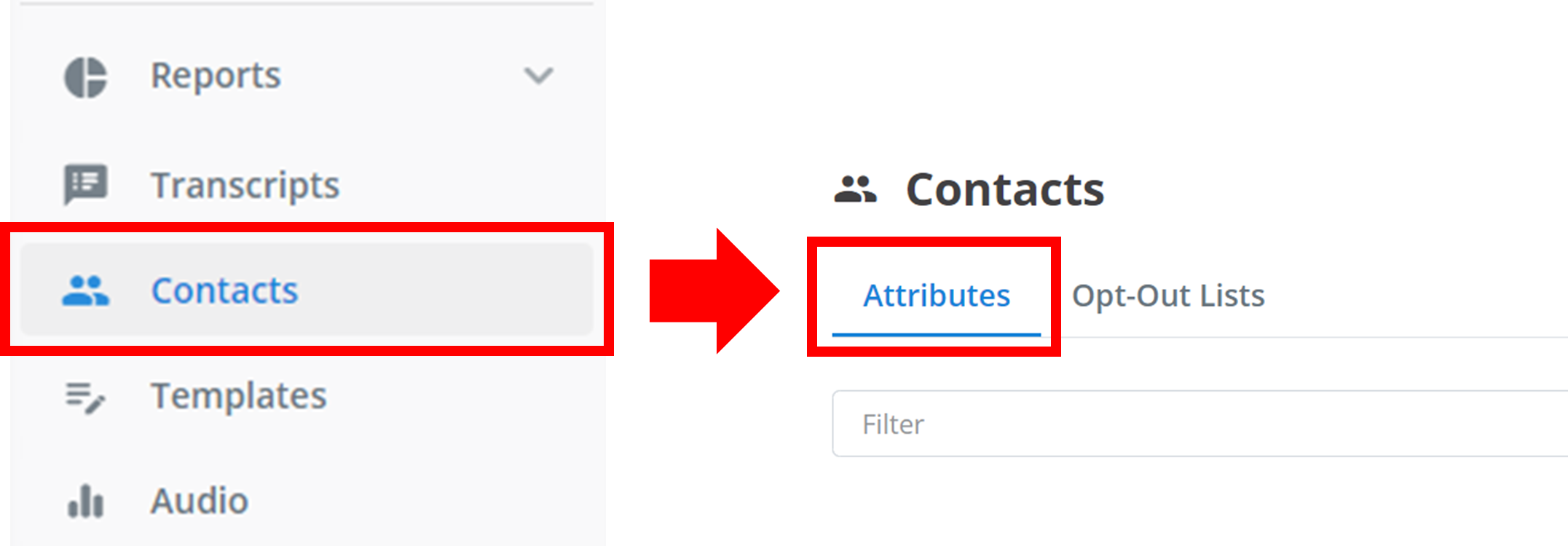
Navigate to Contacts
Navigate to Contacts in the left sidebar.
Open Attributes
Click the Attributes tab at the top of the page.
Create
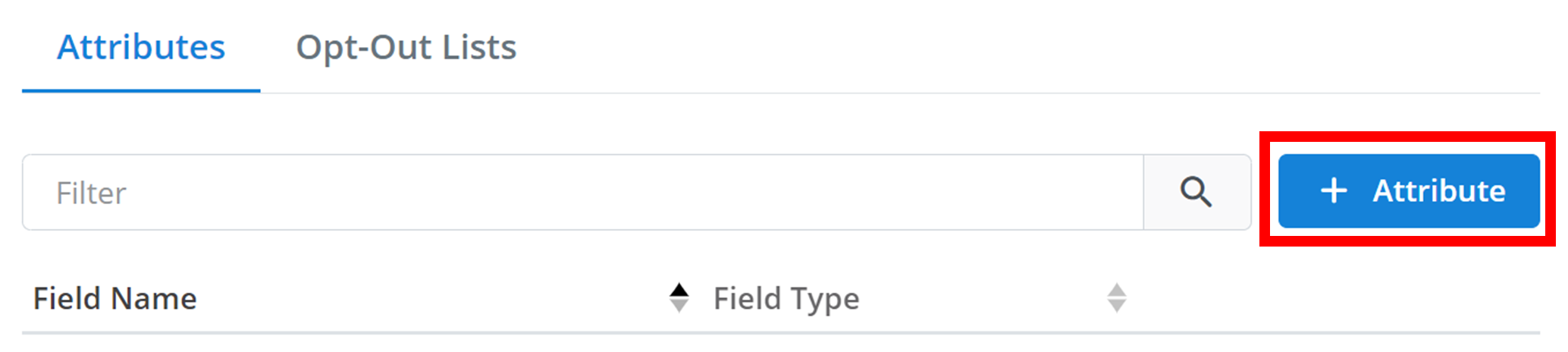
To create a new Contact Attribute, click + Attribute.
Configure
A configuration menu will appear as shown below:
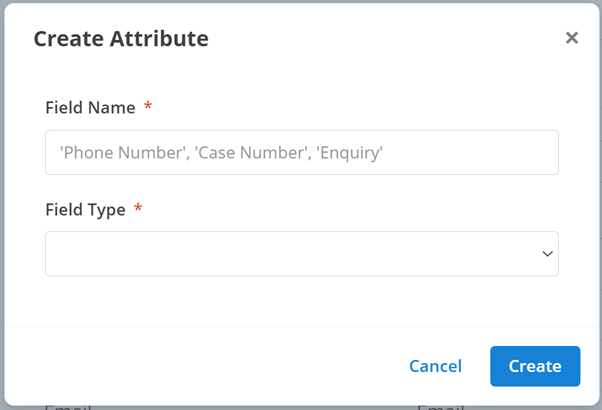
Configure your new Contact Attribute using these options:
- Field Name: The name of the contact attribute (e.g., 'Phone Number', 'Name', 'DOB')
- Field Type: Each contact attribute starts empty and must be manually filled by an agent. The 'Field Type' specifies how information must be formatted and stored:
- Text: Standard string of characters (e.g., 'John Smith', 'apples')
- Email: Must be formatted as an email address
- Number: Only numeric characters (0-9). Letters are not permitted
- Phone: Must be formatted as a phone number
- Date: Must be formatted as a specific calendar date
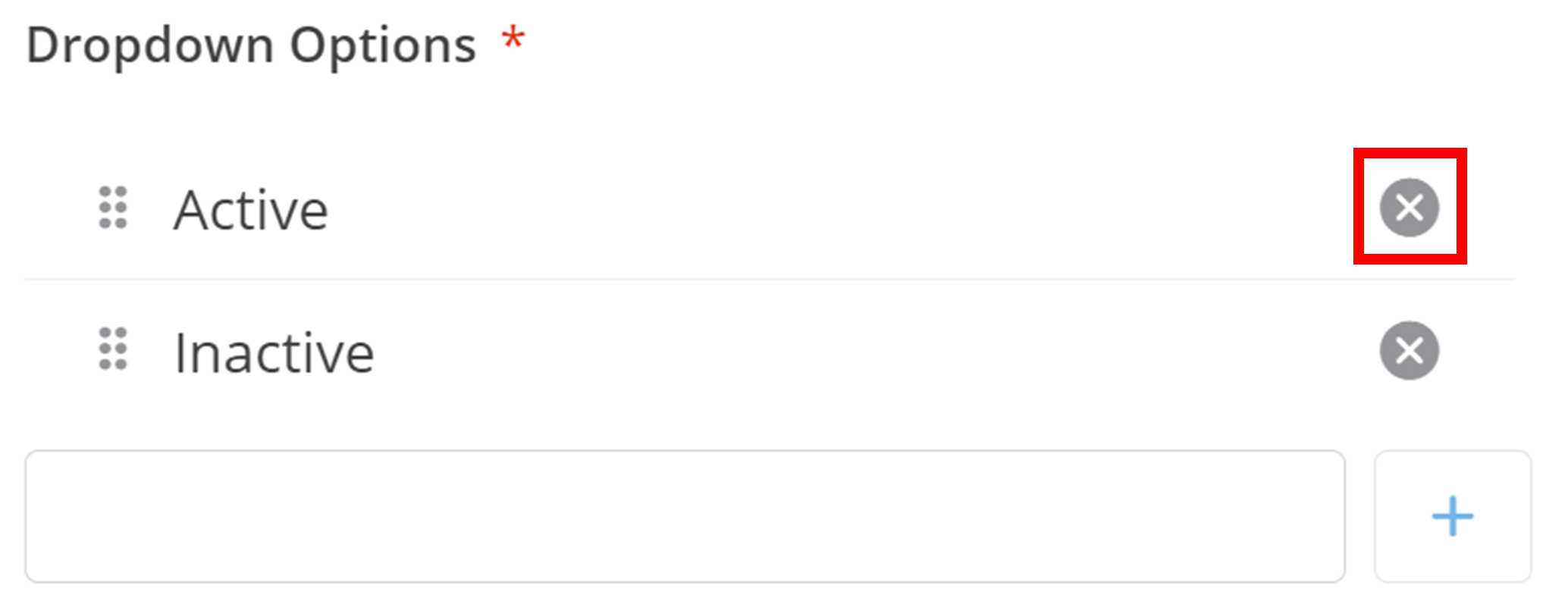
- Dropdown: Must be selected from a list of options (e.g., 'Subscription Status' with options 'Active' and 'Inactive')
- Selecting this option adds a new Dropdown Options field:
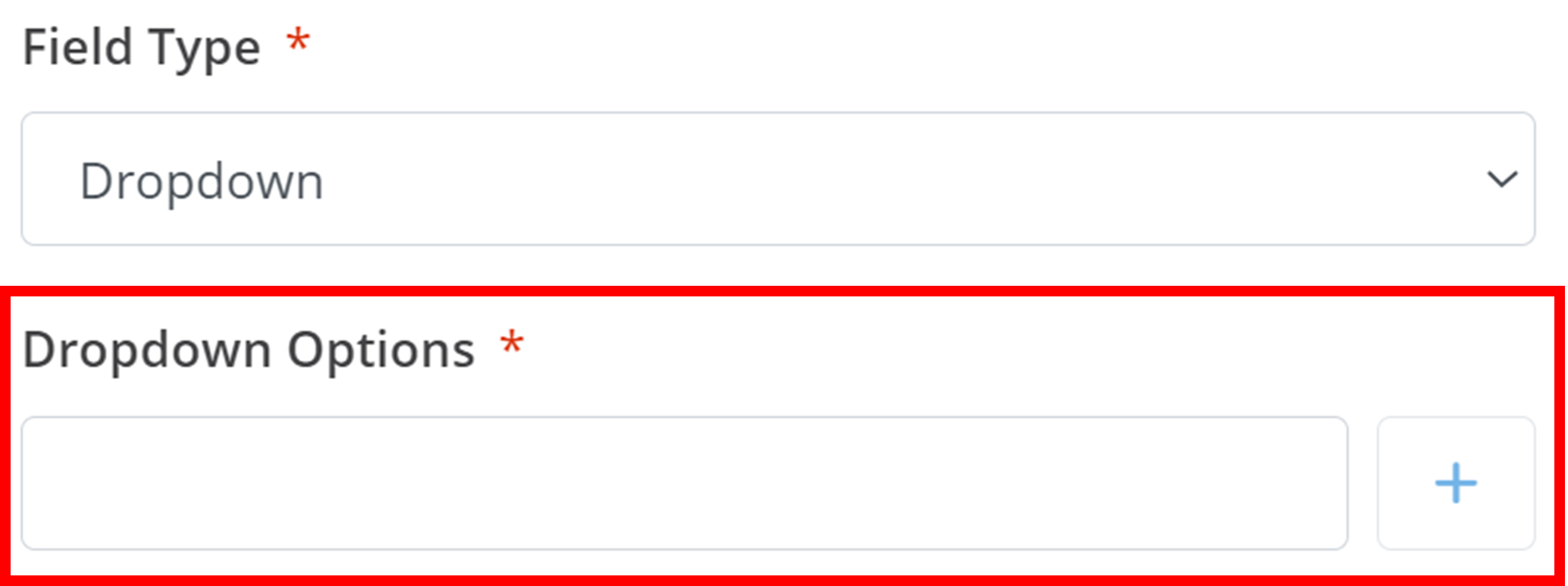
- To add an option, type the option name in the text box and click the + button
- To delete an option, click the X button next to the option:
- Selecting this option adds a new Dropdown Options field:
To add the Contact Attribute to your workspace, click Create.
Management
All workspace Contact Attributes are displayed here:
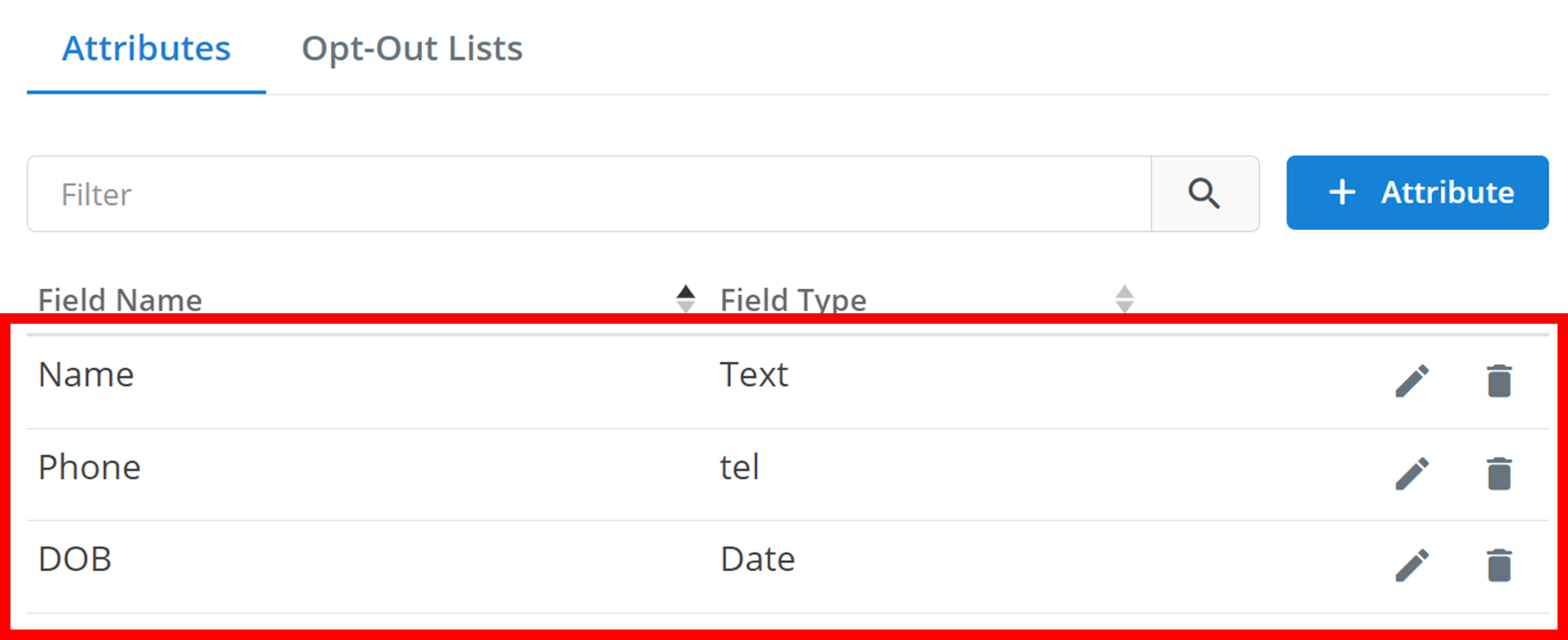
This overview displays the attribute name and type.
To edit an attribute and all its configurations, click the pencil icon. To delete an attribute, click the trash icon:

Tip
You can search the Contact Attributes by name using the Filter text box.
How is this guide?