
Voice Surveys
Voice Surveys are surveys that occur via calls. The system asks the questions via audio on a call, and the respondents give their answers to the system via clicking 1-9#* on the call. It is recommended you read the General documentation first before reading the specific voice documentation.
Maximum Invalid Responses
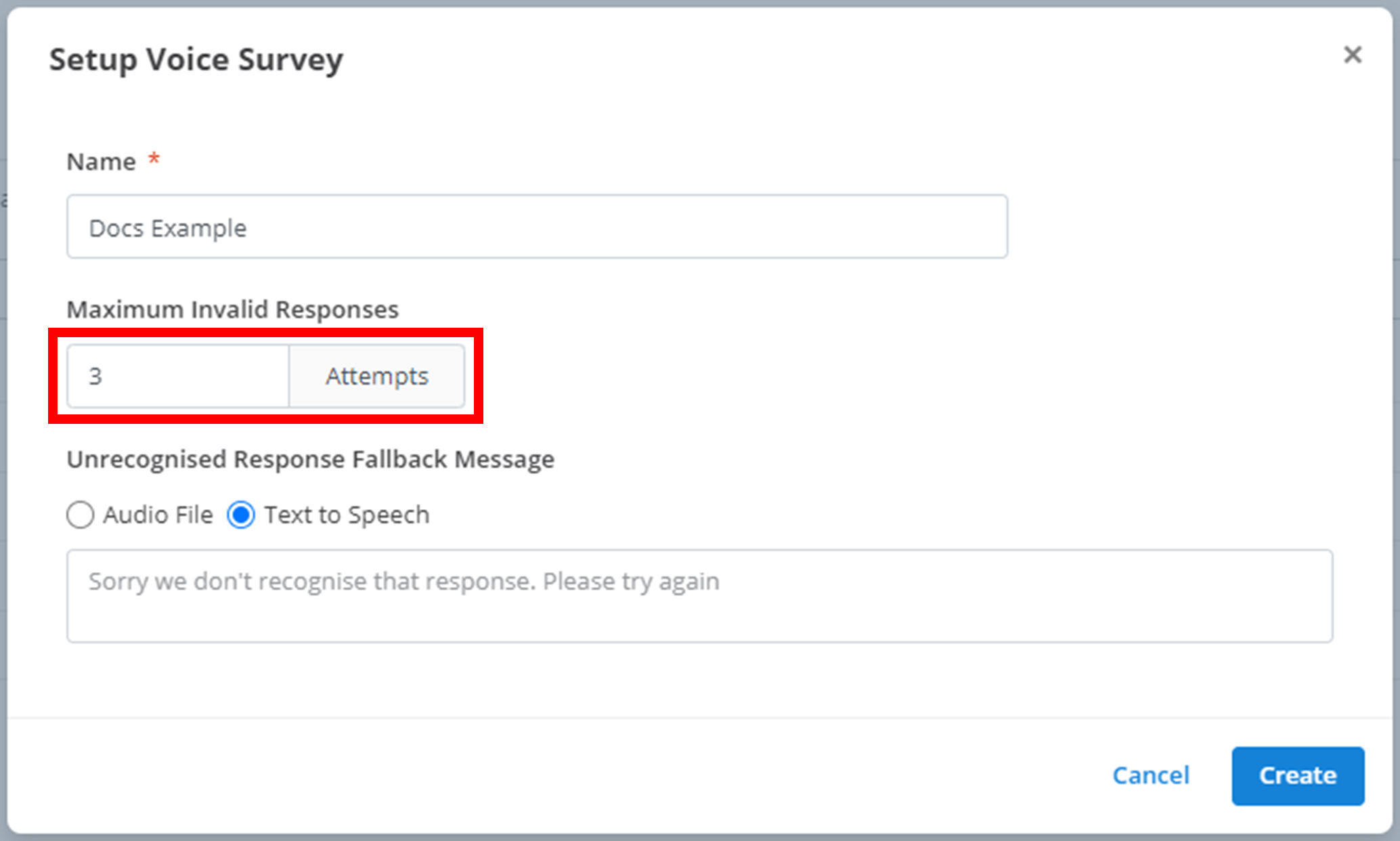
If a user gives an invalid response - one that is not recognised by the response handlers - they may try and answer the question again with a valid answer. The amount of times they can do this is the Maximum Invalid Responses. Enter your desired value for the Maximum Invalid Responses in the outlined box below. In the example below, survey respondent's can attempt to give a valid answer to a question 3 times before it moves on.
Unrecognised Response Fallback Message
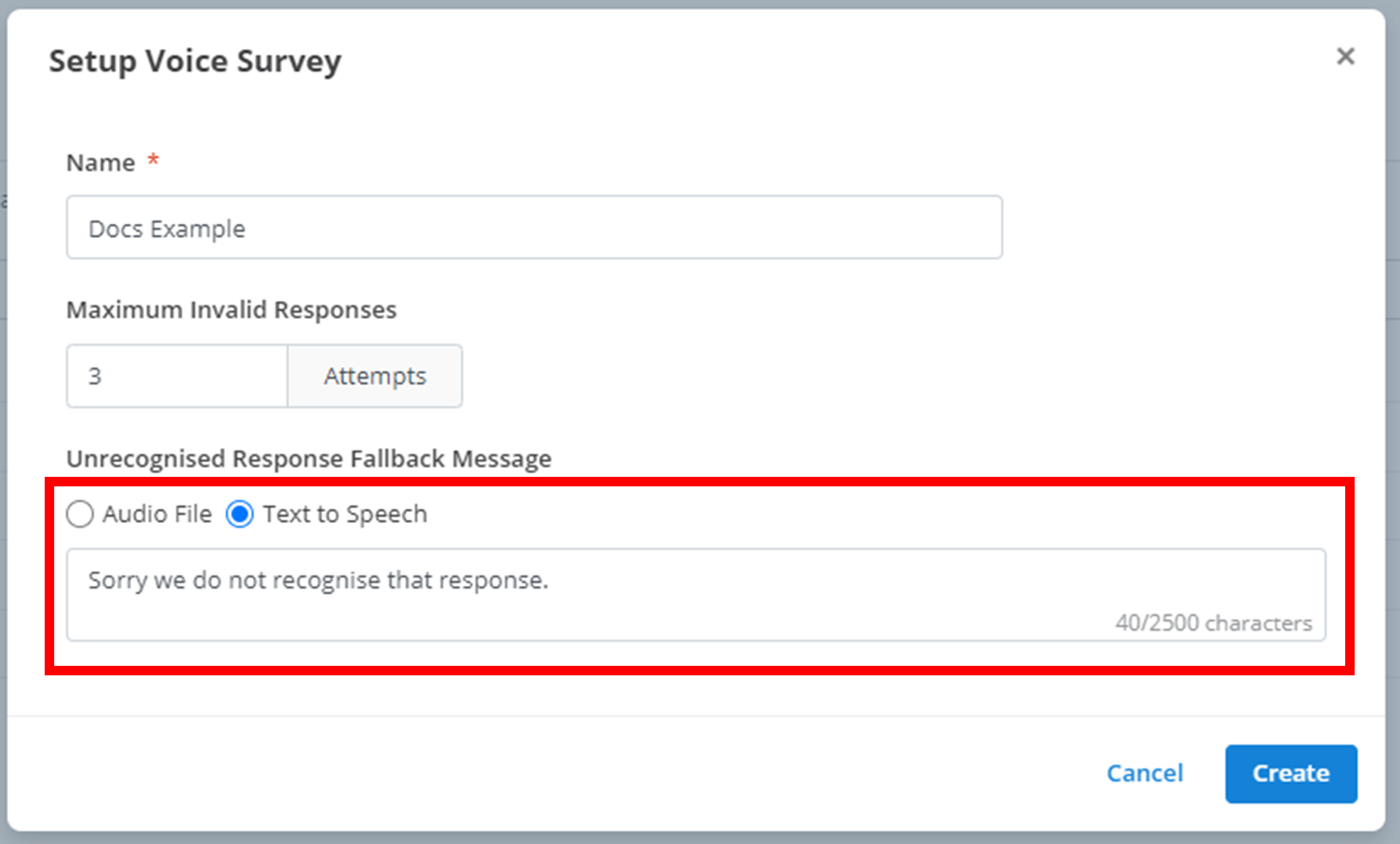
If a respondent's answer to a question is unrecognisable as one of the predetermined answers, they will receive this 'Unrecognised Response Fallback Message'. Simply curate the audio message you would like to be played in the call in the outlined section. In the example below, if a survey respondent gives an invalid answer, a text-to-speech bot will say 'Sorry we do not recognise that response.'
Questions
Question Content
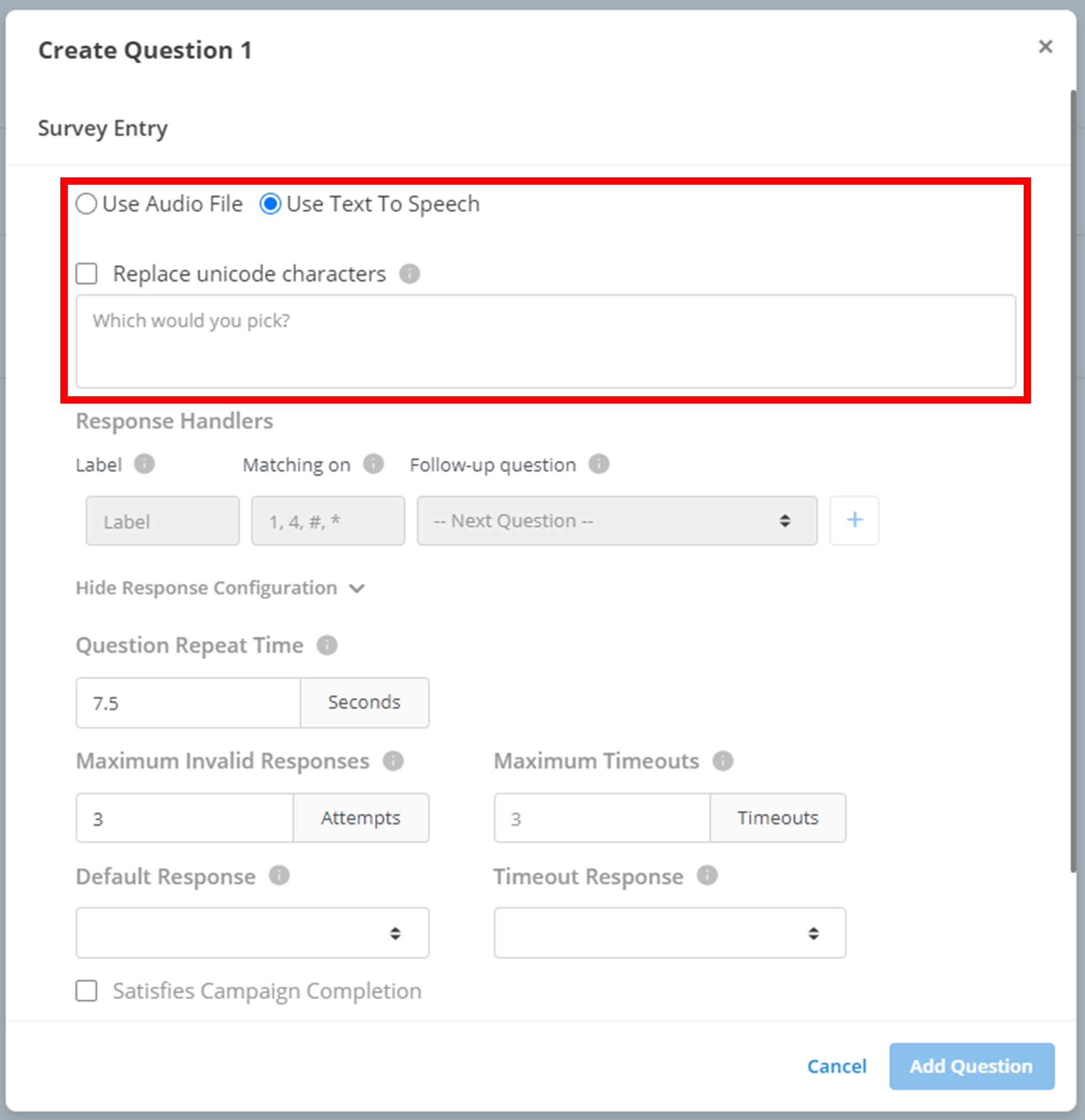
Survey respondents will receive a call from the survey asking them a question and providing them a list of valid recognised answers. You must configure this message yourself in the question content. The question content is the first customisable option in the New Question menu.
Response Handlers
Response handling is identical to General. Here, the 'Matching-on' responses you are looking for in respondent's responses are the symbols 1-9#* on a phone call.
Response Configuration
Here you can configure various options about handling invalid questions or long wait times for responses.
- Question Repeat Time: after a question has been asked, the system will wait for this long for an answer before repeating the question. This option is measured in seconds.
- Maximum Invalid Responses: See here
- Maximum Timeouts: Number of times a question is repeated before the call is ended.
- Default Response: After a respondent exceeds the Maximum Invalid Responses, this option is chosen. You can either end the call, or automatically select one of the response handlers to activate.
- Timeout Response: After a respondent exceeds the Maximum Timeouts, this option is chosen. You can either end the call, or automatically select one of the response handlers to activate.
Surveys can also be linked to campaigns. There is an option to pause a campaign after a certain number of 'completions' in a survey. By selecting the outlined checkbox below, a response to this question will increase the 'completions' of a campaign survey by 1.
Example Voice Question
Below is a full example of a Voice Question using the New Question menu.
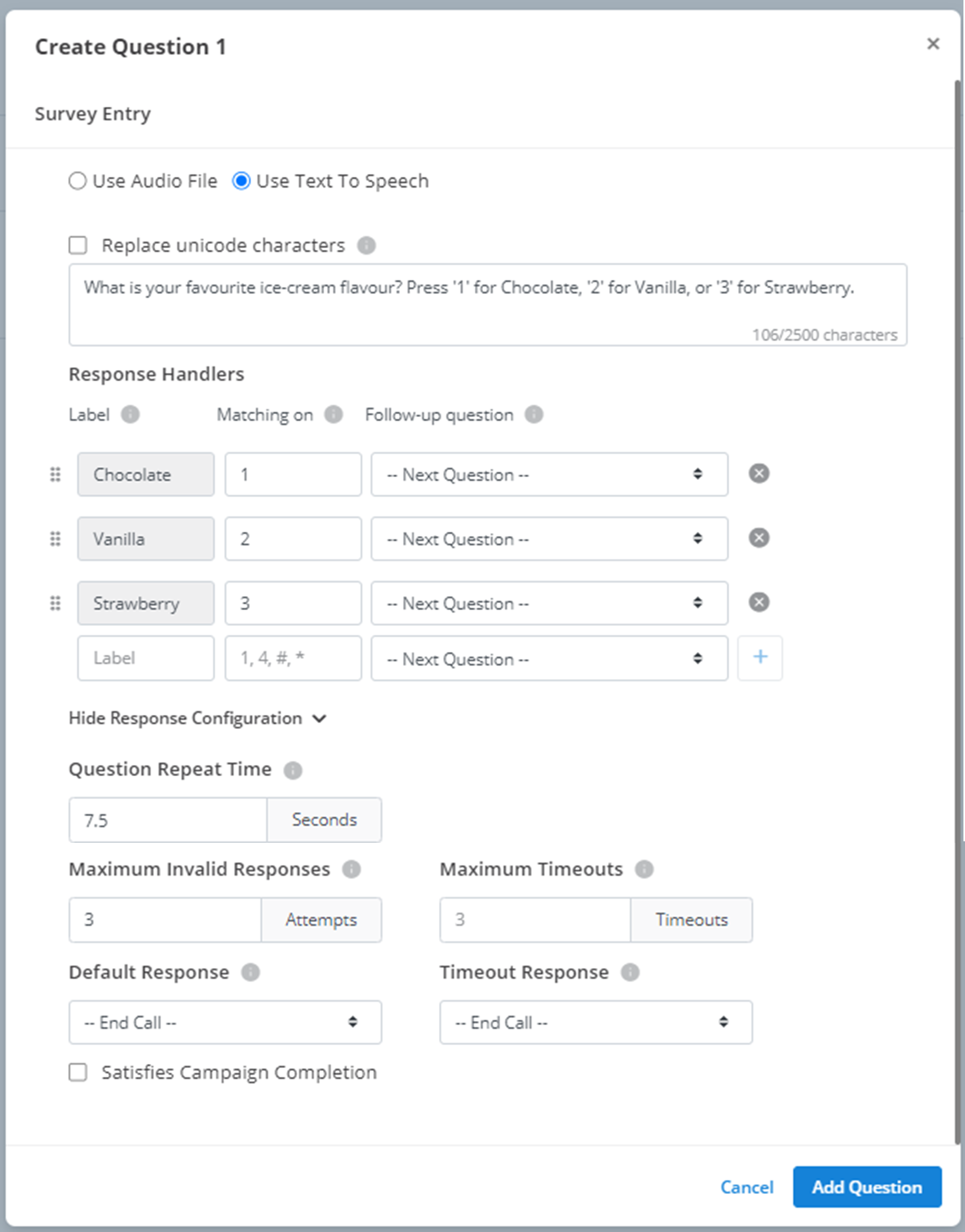
In the above example, when survey respondent's reach Q2 in the decision tree, they will receive an SMS that says: "What is your favourite ice-cream flavour? Press '1' for Chocolate, '2' for Vanilla, or '3' for Strawberry." If the survey respondent presses '1' on the call, their response will be recorded as 'Chocolate'. The same applies for '2' & 'Vanilla', and '3' and 'Strawberry'. If the survey receives no response to a question, it will be repeated after 7.5 seconds. If the question is repeated 3 times, the call will be ended. If the respondent gives an invalid response 3 times, the call will also be ended. If the question is completed and receives a valid response, it will not count towards the 'completion' counter in a campaign survey.
Ending the Survey
When a respondent reaches the end of a decision tree or line of questions in the survey, the call will be automatically ended, and their responses will be automaticaly recorded in the 'Results' section.
How is this guide?